> ## Documentation Index
> Fetch the complete documentation index at: https://raid.stormbots.io/docs/llms.txt
> Use this file to discover all available pages before exploring further.
# Settings
> Configure influencer tweet notifications, templates, media, delay, and AI raiding text.
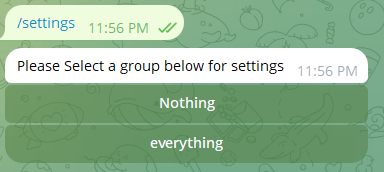
To access settings, use the command /settings in either a group or private chat. In a group, you will directly get a settings button. In private chat, you will get a list of groups to choose from as shown in the image below. Select the group of your choice.
 Once the settings are opened, you will get a menu like this. 👇
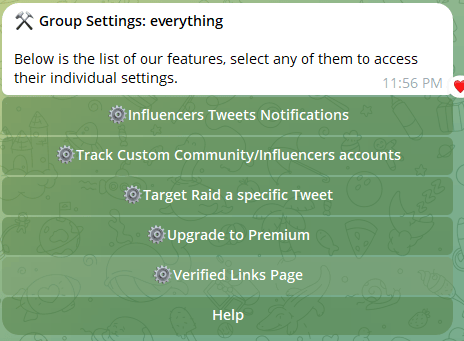 Select "Influencers Tweets Notifications", you will see multiple options.
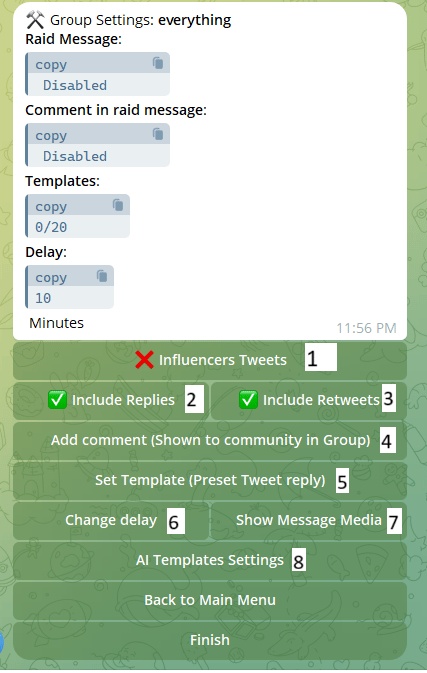 Please refer to the numbers mentioned alongside the buttons for reference.
**Button #1:** Use that button to disable or enable influencers' tweets. If you enable them, you will get Tweets like this in your chat throughout the day:
Please refer to the numbers mentioned alongside the buttons for reference.
**Button #1:** Use that button to disable or enable influencers' tweets. If you enable them, you will get Tweets like this in your chat throughout the day:
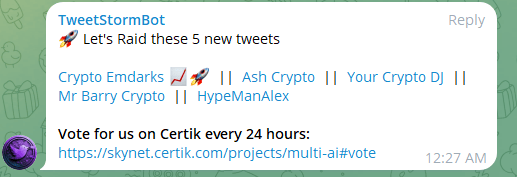 **Button #2:** If you enable that, tweets that are "replies" will also be streamed to your group.
**Button #3:** If you enable that, tweets that are "retweets" will also be streamed to your group.
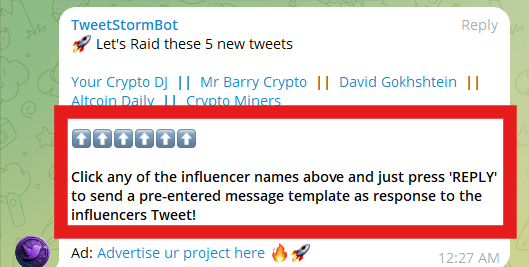
**Button #4:** This option allows you to add comments or instructions in tweetstormbot posts. \
Note that comments appear in posts by tweetstormbot just below the links, not auto-filled in tweets. They act like instructions or comments to your community.\
An example of a comment is given below:
**Button #2:** If you enable that, tweets that are "replies" will also be streamed to your group.
**Button #3:** If you enable that, tweets that are "retweets" will also be streamed to your group.
**Button #4:** This option allows you to add comments or instructions in tweetstormbot posts. \
Note that comments appear in posts by tweetstormbot just below the links, not auto-filled in tweets. They act like instructions or comments to your community.\
An example of a comment is given below:
 ### Templates
**Button #5:** **Templates** are what we say "Pre-filled content in tweets replies".\
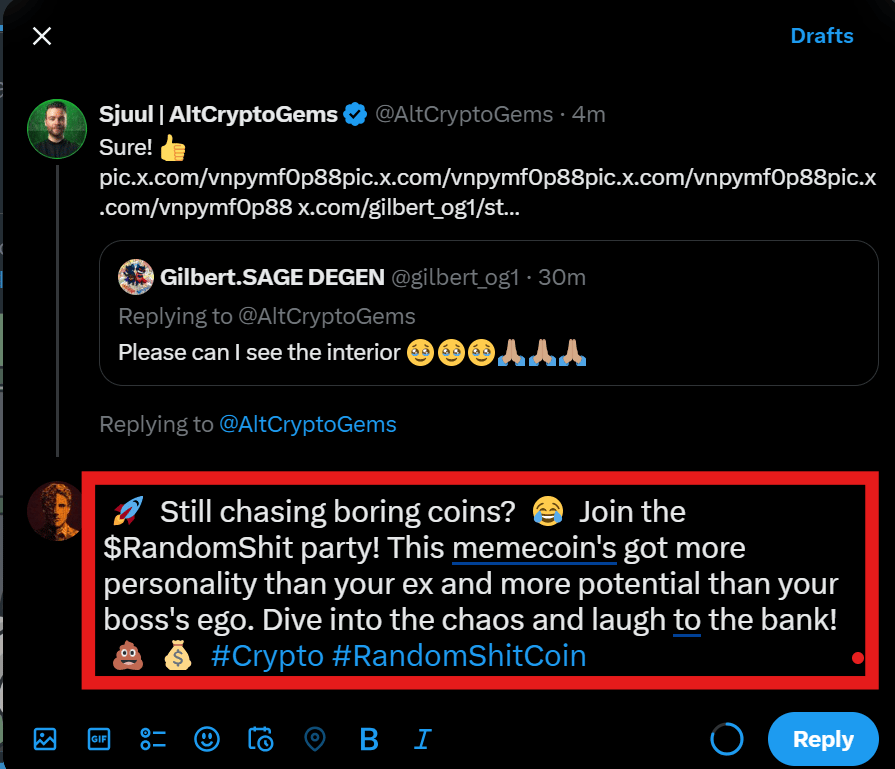
This is the text that will automatically be filled in tweet replies when someone clicks on tweet links posted by tweetstormbot. You can also add multiple templates, they will be randomly shuffled. An example is attached below:
### Templates
**Button #5:** **Templates** are what we say "Pre-filled content in tweets replies".\
This is the text that will automatically be filled in tweet replies when someone clicks on tweet links posted by tweetstormbot. You can also add multiple templates, they will be randomly shuffled. An example is attached below:
 \
**Button #6:** "Change Delay" allows you to change the time duration(5 mins - 60 mins) after which the batch of tweets is posted.
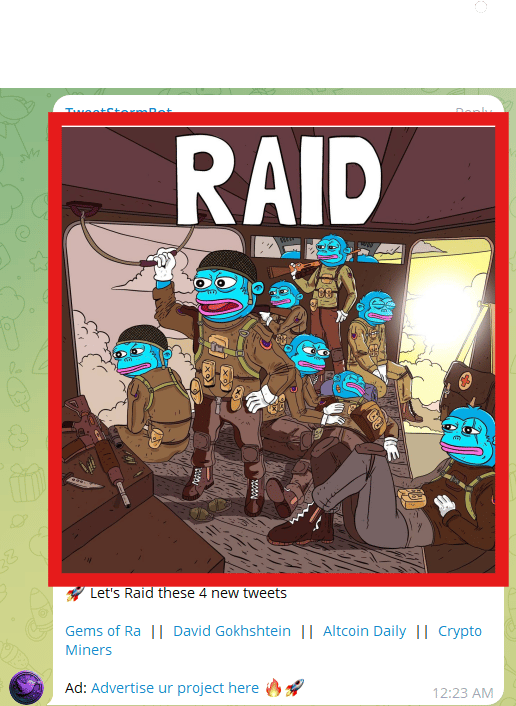
**Button #7:** With "Message Media" option, you can set an image/gif that will be posted along with tweets in your group. A sample is given below.
\
**Button #6:** "Change Delay" allows you to change the time duration(5 mins - 60 mins) after which the batch of tweets is posted.
**Button #7:** With "Message Media" option, you can set an image/gif that will be posted along with tweets in your group. A sample is given below.
 ### AI
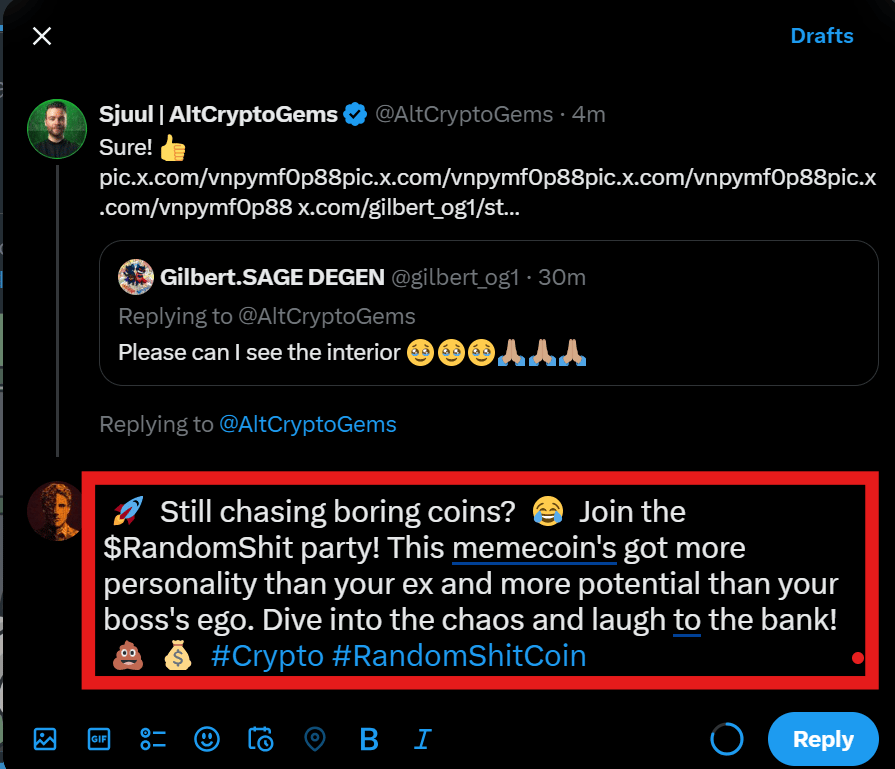
**Button #8:** Our "AI Templates generator" feature can take care of creating unique raiding text or "template" every time tweetstormbot posts any tweet link. Yes you heard it right, unique raiding text for every tweet. A sample AI generated tweet is given below(tone and information depends on the sample text provided by you).
### AI
**Button #8:** Our "AI Templates generator" feature can take care of creating unique raiding text or "template" every time tweetstormbot posts any tweet link. Yes you heard it right, unique raiding text for every tweet. A sample AI generated tweet is given below(tone and information depends on the sample text provided by you).