> ## Documentation Index
> Fetch the complete documentation index at: https://raid.stormbots.io/docs/llms.txt
> Use this file to discover all available pages before exploring further.
# How to use?
> Start a target raid in your group with the /raid command.
Simply use /raid command in the group.\
You will get something like 👇
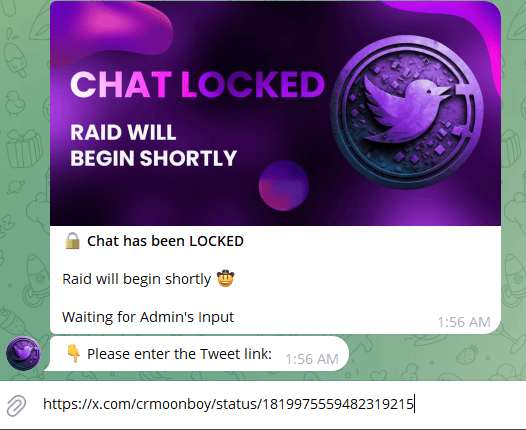 Enter your target tweet link, once link is entered, you will be asked to put target likes, retweets, replies, bookmarks.
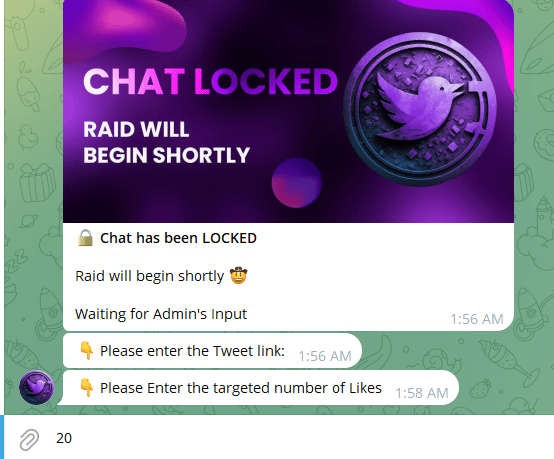 Once all numbers are entered, the raid will start. Chat will be muted until targets are hit.\
Message will be pinned along with a button if the bot has enough permissions.
Once raid is finished, chat will be unmuted
Once all numbers are entered, the raid will start. Chat will be muted until targets are hit.\
Message will be pinned along with a button if the bot has enough permissions.
Once raid is finished, chat will be unmuted
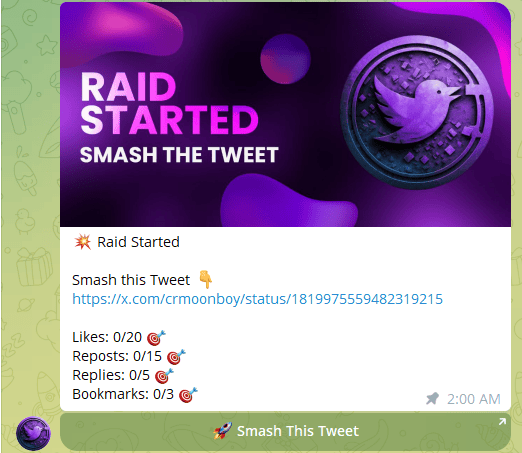 Refer to settings to modify the image shown in raid messages.